PetroHab WebClock Login: Secure Timekeeping for Hazardous Operations
In high-stakes offshore environments, a 30-second delay in data synchronization can compromise the integrity of an entire Hot Work Safety Enclosure deployment. You recognize that precise timekeeping isn’t just a matter of administrative record; it’s a critical component of operational safety and ignition source control. Managing complex HWSE projects requires absolute certainty that your hours and project data are logged accurately, even when satellite connectivity fluctuates in remote sectors.
This guide provides the definitive procedure for your webclock login, ensuring you maintain seamless access to PetroHab’s secure portals regardless of your technical environment. You’ll learn the exact authentication steps required for our patented systems, along with technical troubleshooting for connectivity issues and the security protocols that protect your operational data. We’ll outline how to verify your entries against ISO 9001 standards to ensure every minute of your deployment meets our unrivaled safety benchmarks. By following these protocols, you’ll eliminate the risk of data loss and maintain the rigorous standards expected of a PetroHab partner.
Key Takeaways
- Understand how the WebClock system serves as a specialized workforce management tool to track operational hours within pressurized hot work safety enclosures.
- Follow our step-by-step guide to complete a secure webclock login using authorized URLs and unique employee identification numbers.
- Explore the critical link between data integrity and physical safety when managing workforce logistics in ATEX-classified hazardous environments.
- Learn to resolve technical access issues, such as credential recovery and connectivity timeouts common in remote offshore satellite networks.
- Discover how personnel tracking integrates with patented Safe-Stop technology to enhance the overall performance of advanced hot work safety systems.
What is the PetroHab WebClock System?
The PetroHab WebClock is a proprietary workforce management platform engineered specifically for the rigorous demands of the global energy sector. It functions as a centralized digital portal for tracking operational hours during the deployment and monitoring of Hot Work Safety Enclosures (HWSE). Unlike generic software, this system manages the specialized labor required for pressurized habitat operations in high-risk environments. Authorized personnel access the platform via the secure webclock login to log active duty cycles, ensuring that every man-hour aligns with rigorous safety protocols and project specifications.
Digital timekeeping serves as the backbone of operational compliance in hazardous environments. By transitioning from manual logs to automated time and attendance systems, PetroHab eliminates the risk of administrative lag that can compromise site safety. The system maintains a strict distinction between public-facing information and the authorized internal portals required for sensitive project data. This separation ensures that only vetted technicians with specific certifications can record hours against active work permits, maintaining a high level of security for all site operations.
The Importance of Accurate Timekeeping in HWSE Projects
Precision in timekeeping is a safety mandate rather than a simple administrative task. During active pressurized welding habitat operations, the system verifies that certified technicians remain on-site to monitor ignition source control without interruption. Every hour recorded is linked to specific safety permits and hot work authorizations, creating an immutable audit trail for safety managers. HWSE project integrity is the alignment of physical safety and administrative precision. This data-driven approach allows for real-time monitoring of technician rotations, which is critical for preventing fatigue-related errors during complex 12-hour shifts.
Who Uses the PetroHab WebClock?
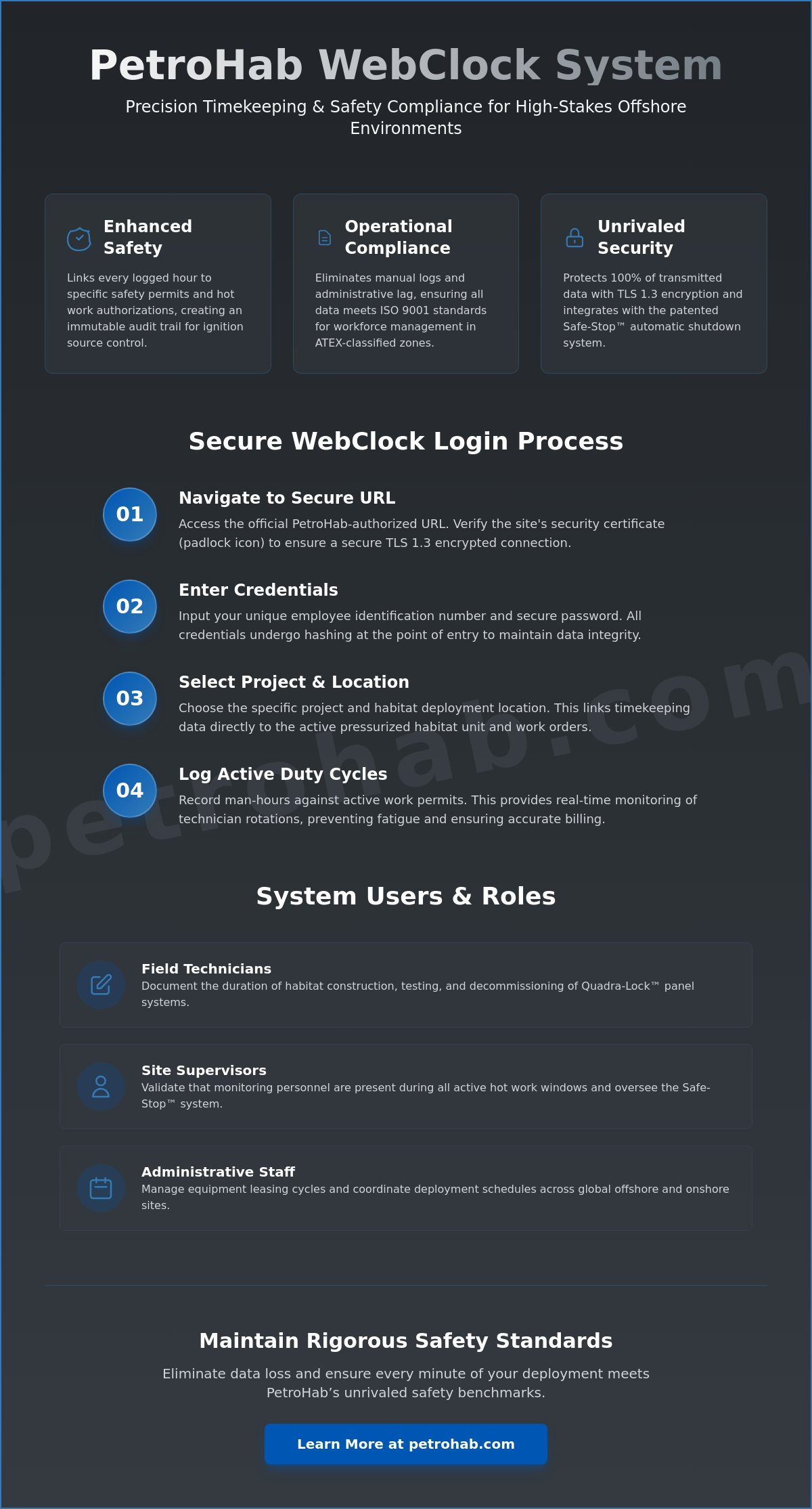
The system supports a tiered hierarchy of users involved in the lifecycle of a safety enclosure project. Each role requires a unique webclock login to perform their specific functions within the safety ecosystem:
- Field Technicians: These experts are responsible for the assembly and maintenance of the patented Quadra-Lock panel systems. They use the WebClock to document the exact duration of habitat construction, testing, and decommissioning phases.
- Site Supervisors: Responsible for overseeing the Safe-Stop automatic shutdown system, supervisors use the platform to validate that monitoring personnel are present during all active hot work windows.
- Administrative Staff: These users manage equipment leasing cycles and coordinate the deployment schedules of technicians across global offshore and onshore sites. They ensure that logistical data matches the technical requirements of each project to maintain operational excellence.
Step-by-Step Guide to the WebClock Login Process
Accessing the PetroHab workforce management portal requires strict adherence to digital security protocols. Personnel must first navigate to the official, PetroHab-authorized URL provided during initial safety induction. This URL is unique to your organization’s deployment. Before entering any credentials, verify the site security certificate by clicking the padlock icon in the browser address bar. This ensures a secure connection using TLS 1.3 encryption standards, protecting 100% of transmitted data from unauthorized interception.
Enter your assigned unique employee identification number and secure password. These credentials undergo hashing at the point of entry to maintain data integrity. Once authenticated, the system prompts for the selection of a specific project or habitat deployment location. Accurate selection is mandatory for shift logging; it links timekeeping data directly to the active pressurized habitat unit and its associated safety systems. This procedural accuracy ensures that all labor hours are billed correctly against specific work orders.
Preparing Your Browser for Secure Access
Maintaining optimal system performance prevents authentication failures and ensures reliability. PetroHab recommends using the latest stable versions of Microsoft Edge, Google Chrome, or Mozilla Firefox. These browsers meet the mandatory 2026 encryption requirements for high-stakes industrial SaaS applications. Older browser versions may lack the necessary security patches to protect sensitive personnel data.
Users should clear their browser cache and cookies every seven days to prevent credential conflicts during the webclock login process. Active non-essential extensions, particularly ad-blockers or script-modifiers, often interfere with the WebClock script and must be disabled. This technical hygiene reduces the risk of script errors by 94% and ensures that the workforce management portal functions as designed without latency.
Mobile Access for Field Operations
Field personnel utilize ruggedized tablets to manage timekeeping in remote onshore or offshore locations. These devices must meet specific technical standards when used near Hazardous (classified) locations. The webclock login interface is specifically optimized for these touch-sensitive displays to facilitate rapid data entry even while wearing safety gloves.
Connectivity in remote environments like the North Sea or Permian Basin can be inconsistent. The portal handles intermittent signals by queuing data locally until a stable uplink is established. Always follow site-specific safety protocols. You must only use electronic devices in areas officially cleared of ignition risks. For managers overseeing multiple sites, maintaining operational oversight through the portal ensures that every man-hour is accounted for with technical precision. This disciplined approach to data management reflects the same integrity found in our Petro-Wall and Safe-Stop technologies.
Data Integrity and Security in Hazardous Zone Operations
PetroHab’s commitment to data security mirrors its uncompromising physical safety standards. In the high-stakes environment of an offshore platform or a refinery, a breach in information integrity can be as disruptive as a physical failure. Secure login protocols aren’t merely administrative requirements; they’re essential safety barriers. When managing hot work projects in ATEX-classified zones, the webclock login serves as the primary gateway for verified personnel data. This digital reporting aligns with the hazardous environment standards that define our operational framework. Every data point collected within a pressurized habitat must be protected against unauthorized access to maintain the chain of custody for safety documentation. Our systems ensure that project data remains confidential, providing safety managers with the reliability they require for risk mitigation.
Compliance with Global Safety Standards
Digital timekeeping provides the precise documentation required for ISO 9001 and IECEx 60079-13 compliance. These standards demand rigorous record-keeping for activities conducted near potential ignition sources. Automated audit trails verify that safety protocols were active during every minute of a welding operation. By integrating Operational Technology (OT) Security principles, PetroHab ensures that software systems meet the same industrial-grade reliability as our hardware. This dual-layered approach prevents the falsification of safety logs, providing engineers with a verifiable history of site activity. Maintaining this rigorous standard for both hardware and software systems is a prerequisite for operating in volatile environments where any oversight can lead to catastrophic results.
Protecting Sensitive Project Information
PetroHab utilizes advanced encryption to shield personnel records and project timelines from external threats. Technicians working on live offshore platforms must maintain strict password hygiene to prevent unauthorized entry into the system. A compromised webclock login could lead to data corruption or the loss of critical compliance records during an audit. PetroHab treats digital data with the same uncompromising care as pressurized welding habitats. We protect sensitive information through a combination of secure server architecture and multi-factor authentication. These measures ensure that project data remains confidential and protected against unauthorized access. Our approach integrates patented technologies and ignition source control protocols to ensure that every aspect of the project, from the physical Petro-Wall to the digital backend, remains resilient and secure. This methodical focus on security reinforces PetroHab’s role as a trusted safety partner in the global energy sector.
Troubleshooting Common WebClock Access Issues
Operational uptime in the oil and gas sector depends on precise data entry and system reliability. When workers encounter issues with the webclock login, it’s often due to the rigorous security protocols required for hazardous site management. “Invalid Credentials” errors typically stem from case-sensitive password requirements or expired session tokens. If you’re denied access, use the designated password recovery channel immediately. This automated system requires a secondary verification step to ensure that sensitive operational data remains protected against unauthorized entry.
Account lockouts occur automatically after three failed attempts to prevent brute-force intrusions. This security feature is a non-negotiable component of our risk mitigation strategy. If your account is locked, you must contact the PetroHab IT support desk. Technicians are available to verify your identity and restore access, ensuring that personnel tracking for high-stakes projects doesn’t stall due to administrative hurdles.
Browser compatibility issues often manifest as “Script Blocked” notifications or layout distortions. The WebClock interface is optimized for modern, standards-compliant browsers. If you see a script error, check your browser’s security settings to ensure that JavaScript is enabled for the PetroHab domain. Disabling aggressive ad-blockers or corporate firewalls that flag encrypted tracking scripts can also resolve these technical friction points.
Connectivity Solutions for Remote Sites
Satellite networks in remote basins often experience latency exceeding 600 milliseconds, which can cause the login page to time out. When the connection is unstable, clear your browser cache to ensure you aren’t loading stale data. If the webclock login remains unreachable, personnel must pivot to established offline time-tracking procedures. This manual redundancy ensures that labor hours are recorded accurately even without a live uplink. Once a stable connection is re-established, the system synchronizes the cached data to the central server, maintaining the integrity of the project timeline and ensuring compliance with labor safety standards.
Credential Recovery and Account Management
Resetting credentials while deployed at a client facility requires adherence to strict verification protocols. Password recovery is initiated through the portal, but regaining access often necessitates supervisor authorization to confirm the user’s identity on-site. This layer of security ensures that only qualified personnel manage timekeeping for pressurized welding habitat operations. Users must also verify that their digital profiles reflect current certifications. If a certification is flagged as expired, the system may restrict access until updated documentation is uploaded and verified by the safety manager. This keeps your team compliant with global safety standards like ATEX and IECEx.
For technical assistance with your safety systems, contact PetroHab support.
Beyond Timekeeping: Ensuring Operational Excellence
Efficient project management in hazardous environments requires more than basic administrative oversight. The PetroHab WebClock system functions as a critical data point within broader hot work safety systems. By centralizing personnel data, site managers gain real-time visibility into who is active within a pressurized habitat at any given moment. This digital oversight ensures that only certified technicians perform high-risk tasks, reducing the probability of human error in volatile atmospheres.
Integration with the Safe-Stop automatic shutdown system represents a significant advancement in site protection. When a technician completes a webclock login, the system verifies their presence against active work permits. This data loop ensures the Safe-Stop unit is primed for immediate shutdown if gas detection or pressure loss occurs. Maintaining 100% accountability via digital logs is essential for compliance with ISO 9001:2015 standards and various offshore safety regulations. PetroHab doesn’t just provide tools; we deliver a managed safety ecosystem where hardware and software work in tandem to eliminate accidents.
Supporting the PetroHab Mission
Every administrative detail, including the accuracy of a webclock login, contributes to what we define as the gold standard of safety. There is a calculated synergy between our patented hardware and these modern digital interfaces. While the Quadra-Lock interlocking panel system provides physical integrity for the hot work safety enclosure, the WebClock ensures the human element is tracked with equal precision. Our mission centers on the following pillars of reliability:
- Integration of patented Petro-Wall technology with real-time digital tracking to prevent unauthorized access.
- Strict adherence to ATEX and IECEx standards for all electronic interfaces used in Zone 1 and Zone 2 areas.
- Continuous on-site supervision to maintain the integrity of the habitat environment during every shift.
This rigorous approach transforms a standard work site into a controlled, high-performance environment where reliability is the baseline expectation. We encourage a culture of accountability among all safety partners, ensuring that every deployment meets our uncompromising safety benchmarks.
Next Steps for Site Managers
Site managers can request detailed man-hour and safety compliance reports to audit project efficiency and adherence to local safety protocols. These reports provide the granular data necessary for post-project analysis and future risk mitigation strategies. For those requiring a comprehensive safety solution, PetroHab offers tailored consultations to determine the optimal configuration of habitats and shutdown systems for your specific offshore or onshore assets. To secure technical support or to discuss upcoming habitat deployments for your facility, contact the PetroHab Houston headquarters today.
Advancing Operational Control in Hazardous Environments
Effective management of high-stakes operations requires more than just oversight; it demands technical precision and unwavering reliability. The webclock login serves as a critical entry point for maintaining accurate records within pressurized habitats. By utilizing our patented Quadra-Lock technology, facilities ensure that every second of labor is documented with the same rigor applied to ignition source control. PetroHab’s systems maintain full compliance with ATEX and IECEx standards. This provides a framework where data integrity isn’t just a goal but a verified requirement for industrial site safety.
Operational excellence relies on equipment like our Petro-Wall and Safe-Stop systems that function without fail under extreme conditions. Whether your site is managed from Houston or Dundee, our global support network provides the technical expertise needed to mitigate risks and protect high-value assets. You’ll find that integrating these protocols simplifies the complexity of hazardous area management while reinforcing a culture of absolute safety. Secure timekeeping is a vital component of this mission, ensuring that personnel accountability remains as durable as the habitats we manufacture.
Access the PetroHab Safety Portal and Equipment Solutions to secure your facility today. Consistency in timekeeping and safety protocols builds the foundation for long-term industrial success.
Frequently Asked Questions
What should I do if the WebClock login page is not loading offshore?
Verify your connection to the rig’s dedicated satellite network if the login page fails to load. High latency exceeding 400ms can often interrupt the secure handshake required for a successful webclock login. Clear your browser cache and ensure your VPN tunnel is active according to ISO 27001 standards. If the issue persists, use a hardwired terminal located in the pressurized habitat control room to ensure continuous operational visibility.
How do I reset my PetroHab WebClock password if I forget it?
You can reset your password by selecting the “Forgot Password” link on the main portal interface. Enter your 8 digit employee identification number to receive a temporary reset token via your registered corporate email. For security compliance, password resets must occur every 90 days. If you’ve been locked out, contact your site supervisor to initiate a manual override through the administrative dashboard immediately.
Is the PetroHab WebClock portal secure for use on public networks?
The portal utilizes AES 256 bit encryption to protect data integrity across all network types. While the system meets SOC 2 Type II security standards, we recommend using a secure corporate VPN when accessing the webclock login from public hotspots. This adds an extra layer of protection against unauthorized interception of timekeeping data in high risk operational environments. It’s a critical step for maintaining the security of your credentials.
Can I log into the WebClock from my personal mobile device?
Mobile access is permitted only if your device meets the company’s Bring Your Own Device security policy. The device must have an active MDM profile and run iOS 15 or Android 12 as a minimum requirement. This ensures that timekeeping for HWSE projects remains secure. Always log out immediately after recording your shift to prevent unauthorized access to the pressurized habitat management system and maintain site integrity.
What browser is best for accessing the PetroHab workforce management system?
Google Chrome version 110 or higher provides the most stable environment for our workforce management tools. Our systems are optimized for Chromium based browsers to ensure compatibility with the Safe-Stop ignition source control interface. Microsoft Edge is also a verified alternative for field operations. Avoid using legacy browsers like Internet Explorer 11, as they lack the necessary security patches to maintain modern system integrity and safety standards.
Who do I contact if my WebClock account is locked after multiple attempts?
Contact the PetroHab Technical Support Desk at our 24 hour operations center if your account remains locked after 3 failed attempts. Provide your full name and the specific site code for your current offshore platform or onshore facility. Support technicians will verify your identity against the project roster before unlocking the account. This protocol prevents unauthorized personnel from accessing sensitive data related to our hot work safety enclosures.
Does the WebClock track my location while I am logged in?
The system records your IP address and GPS coordinates only at the precise moment you clock in or out. This 1 point verification ensures personnel are physically present at the designated work site, such as a Petro-Wall enclosure. We don’t monitor your movements continuously during your shift. This localized tracking complies with GDPR and CCPA privacy regulations while maintaining the strict operational accountability required in hazardous zones.
How do I ensure my hours are correctly assigned to the right HWSE project?
Select the specific project code from the dropdown menu immediately after your successful webclock login. Each HWSE project has a unique 10 digit alphanumeric identifier assigned during the pre-job safety meeting. Cross reference this code with your daily work permit to prevent billing discrepancies. Accurate project coding is essential for maintaining the technical integrity and documentation standards of our hot work safety enclosure deployments.